brandcraft
Squad para extração de design systems de URLs, criação de documentos brand-consistent (PDF, PPTX, carousels, social cards, vídeos programáticos) e melhoria de PDFs existentes. Pipeline com 9 agentes especializados: orquestração, extração de tokens visuais, gerenciamento de templates, renderização HTML→PDF/PNG via Puppeteer, criação de PPTX via PptxGenJS, composição de vídeos via Remotion (React→MP4/WebM), geração de imagens por IA, refinamento de PDFs existentes e validação de consistência de marca.
🌐 EN | PT-BR | ES | FR | DE | 日本語
BrandCraft
The Visual Content Factory with Perfect Branding
9 specialized AI agents. 11 output formats. 1 command.





Your brand has an identity. Your materials should reflect it. Always.
PDFs. Presentations. Reels. Carousels. Social Cards. Everything perfectly aligned with your design system. In minutes, not days.
The Problem
Have you ever spent hours creating a report in Word, adjusting fonts, colors, spacing... only to realize it doesn't match the company's visual identity?
Or created an Instagram carousel that looked "sort of" like the brand?
Or needed an animated Reel and spent a fortune on a designer who took a week?
Brand inconsistency is expensive. Studies show that brands with consistent presentation increase revenue by up to 23%. But maintaining that consistency across dozens of different formats — PDF, PPTX, Instagram, TikTok, LinkedIn — is an operational nightmare.
Until now.
The Solution
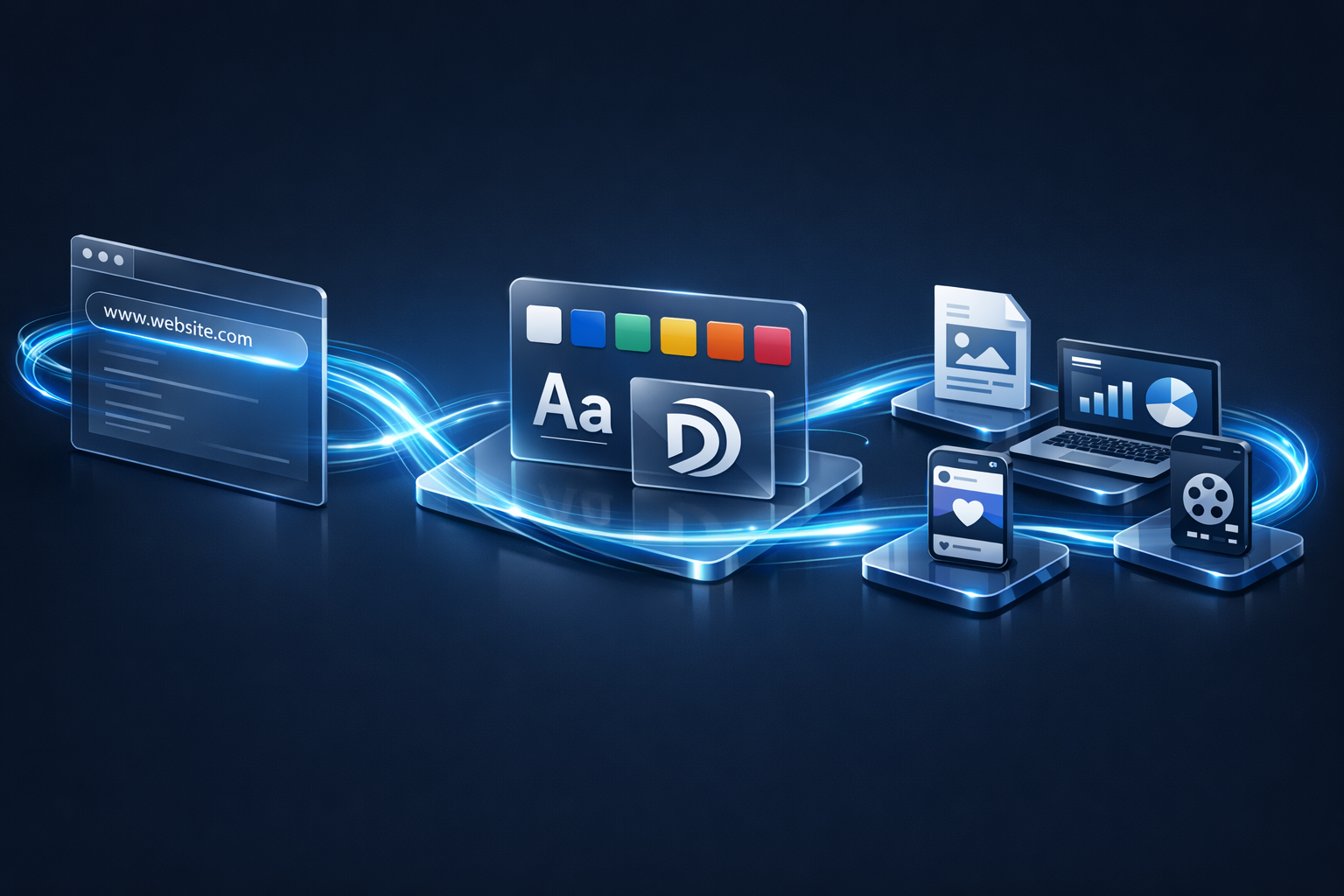
BrandCraft is an intelligent visual content factory. It:
- Extracts the visual identity from any website automatically
- Saves it as a reusable template forever
- Generates any material — from A4 reports to animated Reels — with perfect branding
- Validates every pixel before delivery, with objective quality scoring
All orchestrated by 9 AI agents working in perfect sync, like a senior design team — but in minutes.
Results
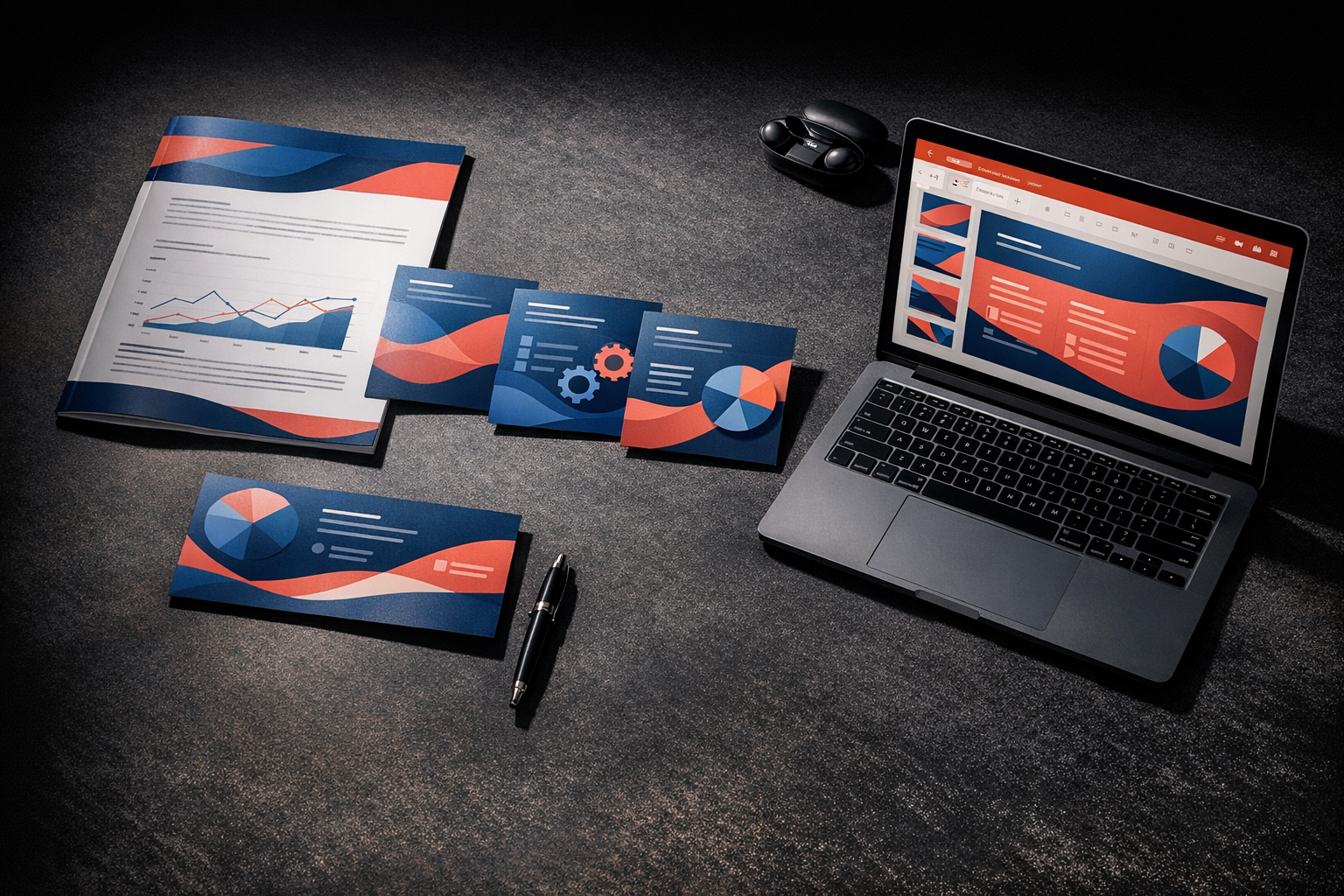
| What you ask for | What you get | Time |
|---|---|---|
| "Create an A4 report with my company's identity" | Print-ready PDF with header, footer, pagination and AI images | ~30 min |
| "Create an Instagram carousel about our product" | 5-10 brand-consistent PNG slides in 1080x1080 | ~25 min |
| "Create a presentation for investors" | 16:9 PPTX with master slides and applied design system | ~35 min |
| "Create an animated Reel for the launch" | 1080x1920 MP4 with professional motion graphics | ~20 min |
| "Improve this ugly PDF I received" | Same content, re-rendered with your brand | ~30 min |
How It Works
The Intelligent Pipeline
No matter what you ask for — the Maestro (orchestrator) analyzes your goal and automatically routes to the correct pipeline:
                                    ┌──── Forge ──── PDF/PNG
                                    │
URL ──── Prober ──── Vault ────┬── Canvas ──── PPTX
                                │
         Content ──── Maestro ─┼── Director ── MP4/WebM
                                │
         Existing PDF ── Scribe ┘── Brush ──── AI Images
                                          │
                                     Gauge ◄─── QA Validation
5 Automated Workflows
1. Extract Design System from URL — Automatic visual identity capture
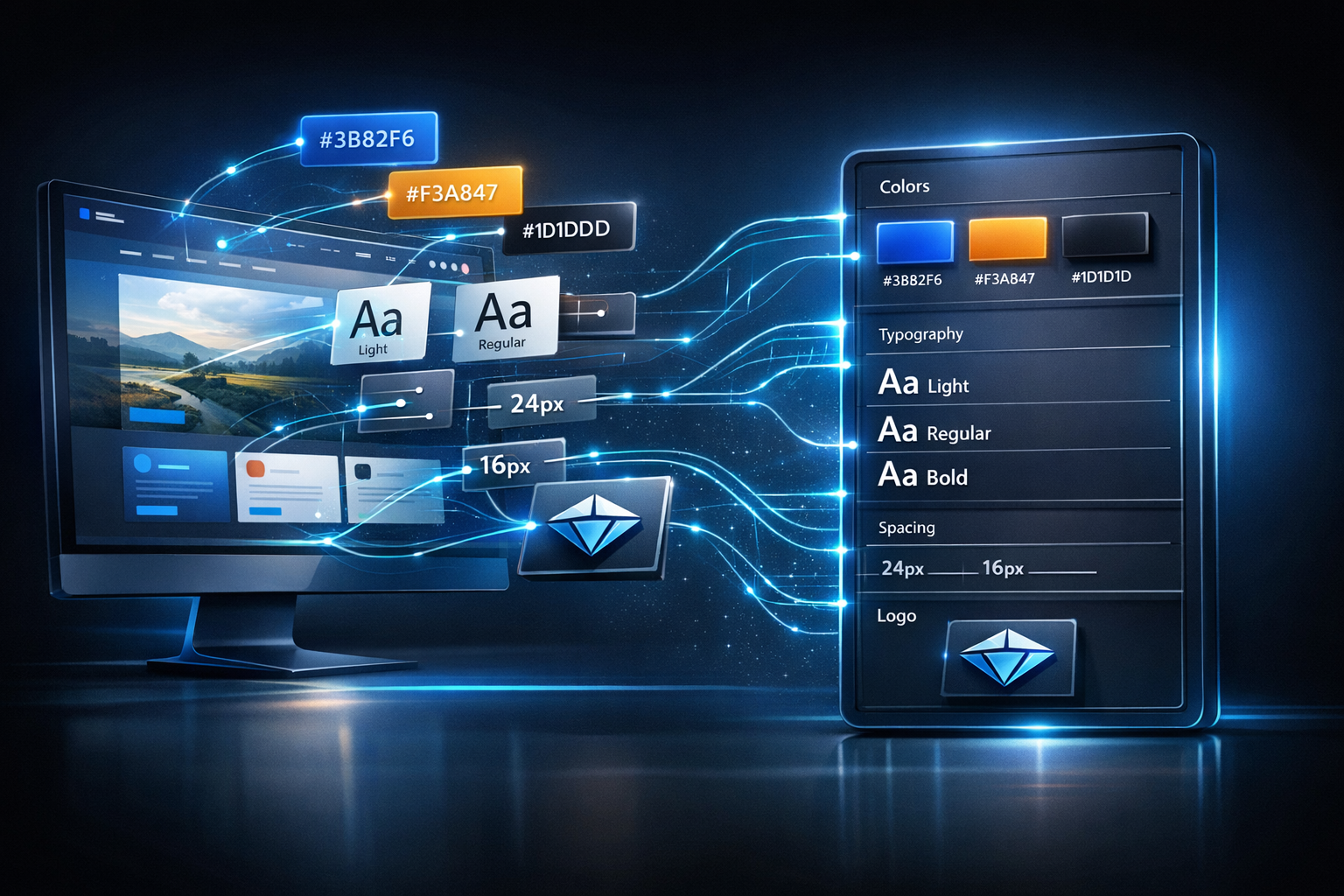
URL → Prober (analysis + extraction) → Vault (saves template)
The Prober analyzes any website and automatically extracts:
- Complete color palette (primary, secondary, accent, backgrounds)
- Typography (families, weights, sizes, hierarchy)
- Spacing (grid system, margins, paddings)
- Logos (SVG, PNG, all variations)
- Metadata (favicon, Open Graph, brand name)
Everything saved as a reusable template with versioning.
Command:
*extract-design-system --url=https://yourcompany.com
2. Create Documents — PDFs, carousels and social cards
Maestro → Vault → Brush (images) → Forge (HTML→PDF/PNG) → Gauge (QA)
The Forge transforms Markdown content into flawless documents:
- A4 PDF with professional header/footer, pagination, full-bleed cover
- Instagram Carousels in 1080x1080 or 1080x1350 with uniform styling
- Social Cards in 1200x630 for perfect Open Graph
- PDF Slides in 16:9 for visual presentations
Each image is generated by the Brush with prompts that incorporate the brand's colors and style.
Command:
*create-document --format=report-a4 --content="./my-content.md"
3. Create PPTX Presentations — Professional slides
Maestro → Vault → Canvas (layouts + PPTX) → Brush (images) → Gauge (QA)
The Canvas generates PowerPoint presentations with:
- 6 types of master slides (title, content, two columns, image, data, full-image)
- Design tokens applied to each slide automatically
- AI images generated by the Brush integrated in the correct positions
- Automatic numbering and consistent branding
Command:
*create-pptx --content="./presentation.md"
4. Create Videos — Reels, motion graphics and animated carousels
 |  |  |
Maestro → Vault → Director (React→MP4) → Brush (assets) → Gauge (QA)
The Director composes programmatic videos with Remotion (React):
- Reels/Shorts 9:16 for Instagram, TikTok and YouTube
- Motion Graphics 16:9 for animated presentations
- Animated Carousels with multiple slides in video
- Professional frame-driven animations (spring physics, interpolation)
- Safe zones for each social platform
- Design tokens as TypeScript constants
Real example — Reel "5 Reasons to use BrandCraft" (Apple theme):
| Intro | Content | CTA |
| | |
| Logo + title with spring | 5 scenes with animation | Stats + Apple-style button |
Full project at
— 1080x1920, 30fps, 30 seconds, Apple theme (pure black background, Inter semibold typography, blue button #2997FF).examples/remotion-reel/
Command: *create-reel --content="product launch" --duration=15
5. Improve Existing PDF — Automatic redesign
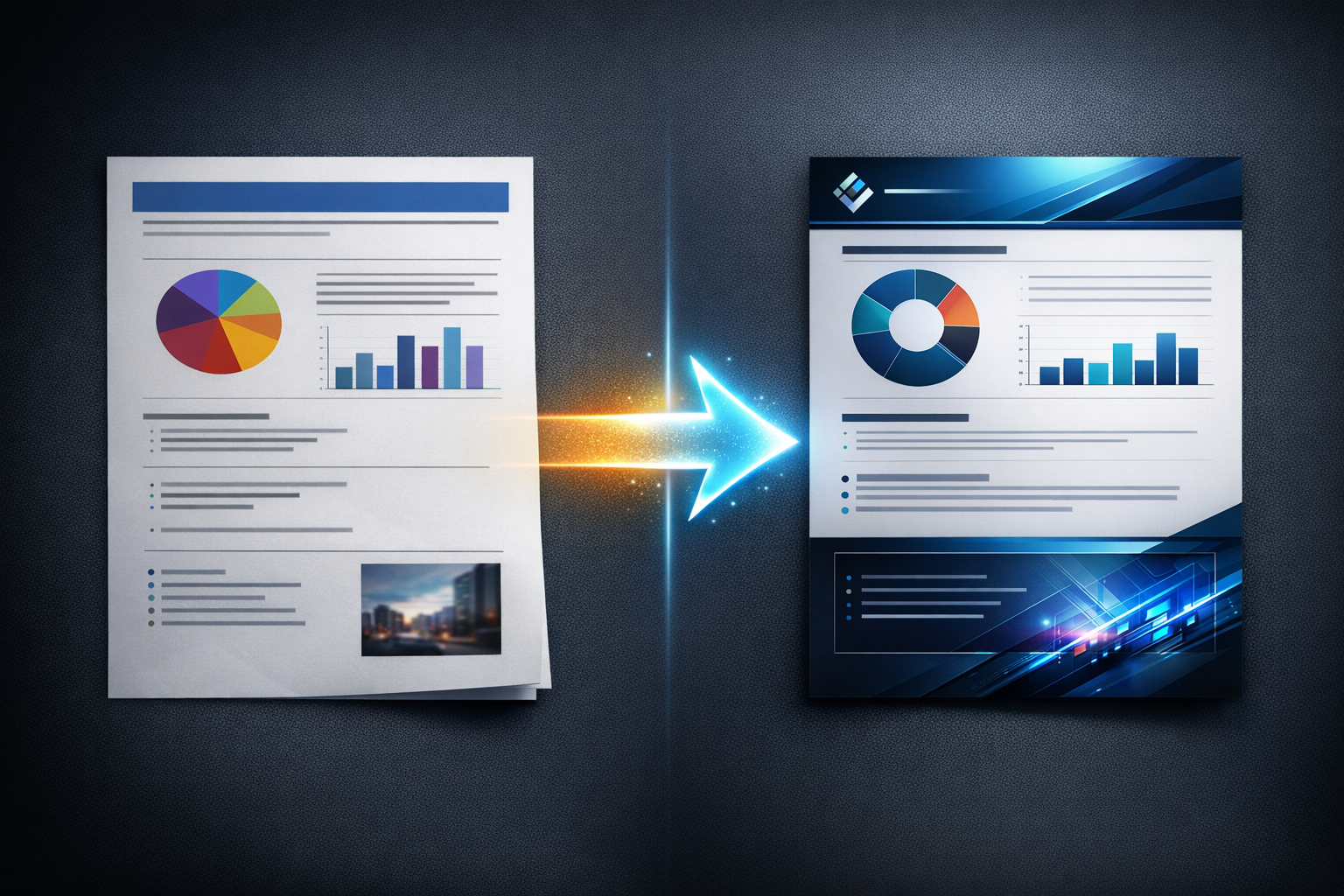
Scribe (extracts content) → Maestro → Vault → Forge (re-renders) → Gauge (QA)
Have an ugly PDF? The Scribe reads and extracts all content (text, hierarchy, images). Then the Forge re-renders it with your brand's design system. Result: same content, completely transformed visuals.
Command:
*improve-pdf --path="./old-report.pdf"
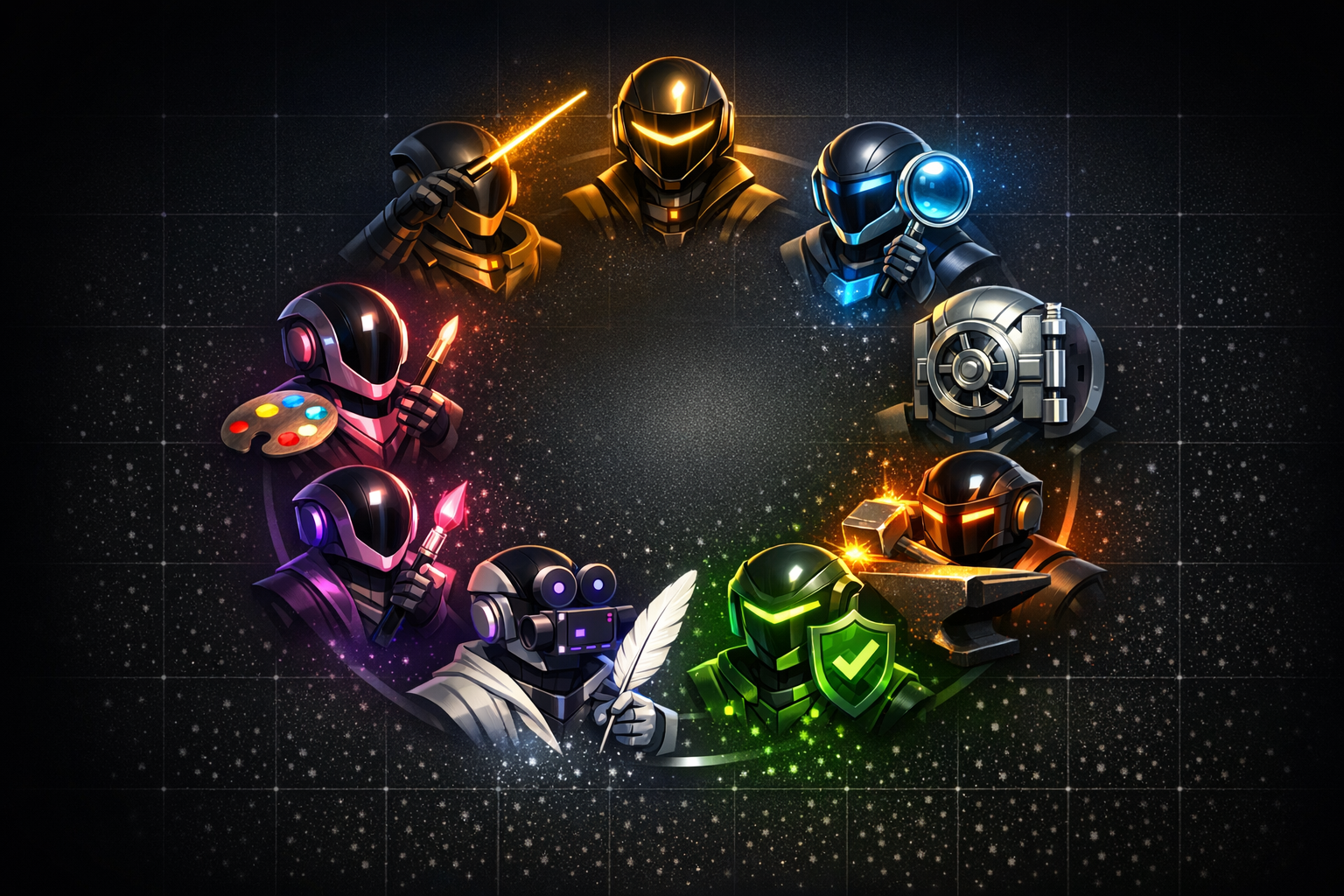
The 9 Agents
| Agent | Persona | Role | Superpower | |
|---|---|---|---|---|
| 🎯 | Maestro | Flow Master | Pipeline Orchestrator | Routes any request to the correct workflow |
| 🔍 | Prober | Explorer | Design System Extractor | Captures visual identity from any URL |
| 📚 | Vault | Builder | Template Manager | Versioned design token library |
| 🔥 | Forge | Builder | HTML→PDF/PNG Renderer | Print-ready documents via Puppeteer |
| 🎨 | Canvas | Builder | Presentation Creator | Professional PPTX via PptxGenJS |
| 🖌️ | Brush | Builder | AI Illustrator | Brand-coherent images via 4 MCPs |
| 🎬 | Director | Builder | Video Compositor | React→MP4 via Remotion |
| ✏️ | Scribe | Explorer | PDF Reader | Extracts content for redesign |
| ✅ | Gauge | Guardian | Quality Validator | Objective PASS/FAIL scoring |
Guaranteed Quality
Every material generated by BrandCraft goes through automatic validation before delivery. The Gauge (Inspector) analyzes 5 dimensions with weighted scoring:
Documents and Presentations
| Dimension | Weight | What it validates |
|---|---|---|
| Brand Colors | 20% | Primary, secondary, accent, backgrounds applied |
| Typography | 20% | Font families, hierarchy, readability |
| Spacing | 15% | Spacing tokens applied uniformly |
| Layout | 30% | Dimensions, margins, alignment, overflow |
| Overall Consistency | 15% | Complete visual uniformity |
Videos (Remotion)
| Dimension | Weight | What it validates |
|---|---|---|
| Brand Colors | 25% | Palette across all scenes |
| Typography | 20% | Brand fonts, appropriate sizes |
| Animations | 20% | Frame-driven, timing, no CSS transitions |
| Layout & Safe Zones | 20% | Dimensions, content within safe areas |
| Logo & Identity | 15% | Presence, proportions, positioning |
Verdicts
| Score | Verdict | Action |
|---|---|---|
| >= 90 | PASS (Excellent) | Immediate delivery |
| 70 - 89 | PASS (Acceptable) | Delivery with minor observations |
| 50 - 69 | FAIL (Partial) | Automatic corrections and re-validation |
| < 50 | FAIL (Critical) | Full pipeline re-execution |
11 Output Formats
Documents
| Format | Dimensions | Technology | Use |
|---|---|---|---|
| PDF Report A4 | 210mm x 297mm | Puppeteer | Corporate reports, whitepapers |
| PDF Slides 16:9 | 254mm x 143mm | Puppeteer | Visual presentations in PDF |
| Instagram Carousel | 1080x1080px / 1080x1350px | Puppeteer PNG | Carousel posts, educational |
| Social Card | 1200x630px | Puppeteer PNG | Open Graph, Twitter Cards, LinkedIn |
| PPTX Widescreen | 10in x 5.625in | PptxGenJS | Editable PowerPoint presentations |
Videos
| Format | Dimensions | FPS | Use |
|---|---|---|---|
| Reel / Short (9:16) | 1080x1920px | 30 | Instagram Reels, TikTok, YouTube Shorts |
| Story (9:16) | 1080x1920px | 30 | Instagram Stories, WhatsApp Status |
| Landscape (16:9) | 1920x1080px | 30 | YouTube, LinkedIn Video, Websites |
| Square (1:1) | 1080x1080px | 30 | Instagram Feed, Twitter Video |
| Animated Carousel (4:5) | 1080x1350px | 30 | Instagram Carousel as video (N slides) |
| GIF | Configurable | 15 | Animated thumbnails, email marketing |
Real-World Examples
Example 1: Corporate A4 Report
You: "Create an A4 report about Q4 2025 results for
      TechVision, using the visual identity from techvision.io"

BrandCraft:
  1. Maestro identifies: A4 report + URL extraction
  2. Prober extracts tokens from techvision.io (blue #1E40AF, Inter, 16px grid)
  3. Vault saves template "techvision"
  4. Brush generates 3 images: hero, conceptual chart, team
  5. Forge renders A4 PDF with:
     - Full-bleed cover with hero image
     - Header with logo + page number
     - Inter typography with H1→H2→body hierarchy
     - #1E40AF colors applied to headings and highlights
  6. Gauge validates: Score 94/100 → PASS (Excellent)

  → Delivery: report-q4-techvision.pdf (12 pages, print-ready)
Example 2: Instagram Carousel
You: "Create a 7-slide Instagram carousel about
      '5 AI Trends for 2026', using the NovaTech template"

BrandCraft:
  1. Maestro identifies: Instagram carousel + existing template
  2. Vault loads template "novatech" (purple #7C3AED, Poppins)
  3. Brush generates 7 themed images (one per slide)
  4. Forge renders 7 PNGs at 1080x1080:
     - Slide 1: Cover with impactful title
     - Slides 2-6: One trend per slide with image and text
     - Slide 7: CTA "Follow for more" with logo
  5. Gauge validates: Score 91/100 → PASS

  → Delivery: 7 PNG files ready for upload
Example 3: Animated Reel
You: "Create a 15-second Reel announcing the launch of
      CloudSync, with professional animations"

BrandCraft:
  1. Maestro identifies: reel video 9:16
  2. Vault loads CloudSync brand tokens
  3. Director configures Remotion:
     - Composition: 1080x1920, 30fps, 450 frames (15s)
     - Scenes: Intro (3s) → Problem (3s) → Solution (4s) → CTA (5s)
     - Animations: spring() for entrances, interpolate() for transitions
     - Instagram safe zones respected
  4. Brush generates brand-coherent visual assets
  5. Director renders MP4 (H.264, CRF 18)
  6. Gauge validates: Score 88/100 → PASS

  → Delivery: cloudsync-launch-reel.mp4 (15s, 1080x1920, ready for upload)
See a real example rendered by BrandCraft:
| | |
Reel "5 Reasons to use BrandCraft" — Apple theme, 30s, 1080x1920
Full source code: examples/remotion-reel/
Example 4: PDF Redesign
You: "This PDF I received from finance is horrible.
      Improve it using our company's visual identity."

BrandCraft:
  1. Maestro identifies: existing PDF improvement
  2. Scribe reads the PDF:
     - Extracts text with preserved hierarchy
     - Identifies tables, lists and images
     - Converts to structured Markdown
  3. Vault loads company template
  4. Forge re-renders with new design system:
     - Same content, transformed visuals
     - Professional header/footer with logo
     - Brand colors and typography applied
  5. Gauge validates: Score 92/100 → PASS

  → Delivery: Transformed PDF with preserved content and applied branding
Example 5: Investor Presentation
You: "Create a pitch deck presentation with 15 slides
      for FlowAI startup fundraising"

BrandCraft:
  1. Maestro identifies: PPTX + possible extraction
  2. Prober extracts tokens from flowai.io
  3. Canvas generates 16:9 PPTX with:
     - Slide master with 6 different layouts
     - 15 slides: Cover → Problem → Solution → Market →
       Product → Traction → Model → Team → Financials → Ask
     - Charts and icons with brand colors
  4. Brush generates illustrations for key slides
  5. Gauge validates: Score 89/100 → PASS

  → Delivery: flowai-pitch-deck.pptx (editable in PowerPoint/Google Slides)
Technology Stack
Document Rendering
| Technology | Version | Function |
|---|---|---|
| Puppeteer | ^23.0 | Headless Chrome → print-ready PDF/PNG |
| marked | ^15.0 | Markdown → semantic HTML |
| PptxGenJS | ^3.12 | Native PPTX generation |
| pdf-parse | ^1.1 | PDF reading and extraction |
| pdf-lib | ^1.17 | Advanced PDF manipulation |
| gray-matter | ^4.0 | YAML template parsing |
| cheerio | ^1.0 | HTML token extraction |
Video Composition
| Technology | Version | Function |
|---|---|---|
| Remotion | ^4.0 | React → Video framework |
| @remotion/cli | ^4.0 | CLI rendering |
| @remotion/bundler | ^4.0 | Webpack bundler |
| @remotion/google-fonts | ^4.0 | Font loading |
| @remotion/transitions | ^4.0 | Professional transitions |
| React | ^19.0 | Component runtime |
| TypeScript | ^5.0 | Type safety for compositions |
Image Generation (MCP)
| MCP | Model | Priority | Specialty |
|---|---|---|---|
| nano-banana-pro | Google Gemini | 1 (Default) | General generation and editing |
| dalle3 | GPT Image 1.5 | 2 (Fallback) | Photographic quality |
| fal-video | Imagen4, Ideogram, Recraft | 3 (Alternative) | Photorealism, typography |
| flux | FLUX Kontext Pro | 4 (Specialized) | Maximum prompt adherence |
Installation
Prerequisites
- Node.js 18+ installed
- AIOS 2.1+ configured
- Claude Code (or another IDE with MCP support)
1. Install Node.js Dependencies
cd squads/brandcraft
npm install
2. Configure MCP Server (Required)
BrandCraft requires nano-banana-pro for image generation.
Get API Key:
- Go to Google AI Studio
- Generate an API key
- Export in your shell:
export GEMINI_API_KEY="your_key_here"Configure in Claude Code:
claude mcp add --transport stdio --scope project \
  --env GEMINI_API_KEY=${GEMINI_API_KEY} \
  nano-banana-pro -- npx -y @rafarafarafa/nano-banana-pro-mcp
Configuration for other IDEs
Cursor —
.cursor/mcp.json
{
  "mcpServers": {
    "nano-banana-pro": {
      "command": "npx",
      "args": ["-y", "@rafarafarafa/nano-banana-pro-mcp"],
      "env": { "GEMINI_API_KEY": "${GEMINI_API_KEY}" }
    }
  }
}
Antigravity — Use the integrated MCP Store and search for "nano-banana-pro"
Other IDEs — Create .mcp.json at the project root with the same format as Cursor
3. Optional MCPs (Recommended)
| MCP | Installation Command | API Key |
|---|---|---|
| dalle3 | claude mcp add dalle3 -- npx -y dalle3-mcp | OPENAI_API_KEY |
| fal-video | claude mcp add fal-video -- npx -y fal-video-mcp | FAL_KEY |
| flux | claude mcp add flux -- npx -y flux-mcp | REPLICATE_API_TOKEN |
4. Verify Installation
# List configured MCPs
claude mcp list

# Inside Claude Code
/mcp
Quick Commands
Full Pipeline
| Command | What it does |
|---|---|
*route-pipeline --goal="..." | Automatically routes to the correct workflow |
*select-template | Interactive template selection |
Extraction
| Command | What it does |
|---|---|
*analyze-url --url=https://... | Analyzes website for extraction |
*extract-tokens | Extracts complete design tokens |
*capture-logos | Captures all logo variations |
Documents
| Command | What it does |
|---|---|
*create-html --format=report-a4 | Creates HTML template |
*render-pdf --content=./content.md | Renders PDF |
*render-png --content=./card.md | Renders PNG |
*render-carousel --content=./slides.md | Renders carousel |
Presentations
| Command | What it does |
|---|---|
*create-pptx --content=./deck.md | Generates PPTX presentation |
*define-slide-layouts | Defines master slides |
Videos
| Command | What it does |
|---|---|
*create-reel --duration=15 | Creates vertical Reel/Short |
*create-motion-graphics | Creates 16:9 motion graphics |
*create-animated-carousel --slides=5 | Creates animated carousel |
*render-video --compositionId=... | Renders composition |
Images
| Command | What it does |
|---|---|
*generate-image --prompt="..." | Generates brand-coherent image |
*edit-image --path=./img.png | Edits existing image |
*generate-carousel-images --theme="..." | Generates image set |
PDF Improvement
| Command | What it does |
|---|---|
*read-pdf --path=./doc.pdf | Reads PDF content |
*convert-to-markdown | Converts to Markdown |
*improve-pdf --path=./doc.pdf | Full improvement pipeline |
Validation
| Command | What it does |
|---|---|
*validate-tokens --document=./doc.pdf | Validates design tokens |
*validate-layout --document=./doc.pdf | Validates dimensions and layout |
*validate-images --document=./images/ | Validates visual coherence |
*generate-report | Generates full QA report |
Template Format
Templates are .md files with YAML frontmatter — your portable design system:
---
name: "acme-corp"
description: "Design system extracted from acme.com"
source_url: "https://www.acme.com"
extracted_at: "2026-02-24T14:30:00Z"
version: "1.0.0"
tokens:
  colors:
    primary: "#1a73e8"
    secondary: "#34a853"
    accent: "#ea4335"
    background: "#ffffff"
    surface: "#f8f9fa"
    text_primary: "#202124"
    text_secondary: "#5f6368"
  typography:
    font_heading: "'Inter', sans-serif"
    font_body: "'Source Sans Pro', sans-serif"
    size_h1: "2.5rem"
    size_h2: "2rem"
    size_h3: "1.5rem"
    size_body: "1rem"
    weight_heading: "700"
    weight_body: "400"
  spacing:
    xs: "4px"
    sm: "8px"
    md: "16px"
    lg: "24px"
    xl: "32px"
    xxl: "48px"
logos:
  primary: "assets/acme-corp/logo.svg"
  icon: "assets/acme-corp/icon.png"
---
# Acme Corp — Design System

Detailed documentation of the extracted design system...
Once saved, the template is reused across any format: PDF, PPTX, video, carousel, social card. Total consistency.
Squad Architecture
squads/brandcraft/
├── squad.yaml                       # Squad manifest (v1.1.0)
├── README.md                        # This file
│
├── agents/                          # 9 specialized agents
│   ├── bc-orchestrator.md           # Maestro — orchestration
│   ├── bc-extractor.md              # Prober — token extraction
│   ├── bc-templater.md              # Vault — templates
│   ├── bc-renderer.md               # Forge — PDF/PNG
│   ├── bc-presenter.md              # Canvas — PPTX
│   ├── bc-illustrator.md            # Brush — AI images
│   ├── bc-filmmaker.md              # Director — Remotion videos
│   ├── bc-refiner.md                # Scribe — PDF reading
│   └── bc-inspector.md              # Gauge — QA validation
│
├── tasks/                           # 37 executable tasks
│   ├── bc-orchestrator-*.md         # (2) Pipeline routing
│   ├── bc-extractor-*.md            # (4) Token extraction
│   ├── bc-templater-*.md            # (5) Template management
│   ├── bc-renderer-*.md             # (5) PDF/PNG rendering
│   ├── bc-presenter-*.md            # (3) PPTX creation
│   ├── bc-illustrator-*.md          # (4) Image generation
│   ├── bc-filmmaker-*.md            # (6) Video composition
│   ├── bc-refiner-*.md              # (4) PDF reading/improvement
│   └── bc-inspector-*.md            # (4) Quality validation
│
├── workflows/                       # 5 automated workflows
│   ├── bc-extract-and-save.yaml     # URL → Template
│   ├── bc-create-document.yaml      # Content → PDF/PNG
│   ├── bc-create-pptx.yaml          # Content → PPTX
│   ├── bc-create-video.yaml         # Content → MP4/WebM
│   └── bc-improve-document.yaml     # Old PDF → New PDF
│
├── checklists/                      # 4 quality checklists
│   ├── extraction-completeness-checklist.md
│   ├── brand-consistency-checklist.md
│   ├── layout-correctness-checklist.md
│   └── video-brand-consistency-checklist.md
│
├── config/                          # Configuration
│   ├── coding-standards.md          # Code standards
│   ├── tech-stack.md                # Technology stack
│   └── source-tree.md               # Project structure
│
├── templates/                       # Reference templates
│   ├── design-system-template.md    # Design system format
│   └── quality-report-template.md   # QA report format
│
├── scripts/                         # Production scripts
│   ├── render.js                    # Puppeteer → PDF/PNG
│   └── create-pptx.js              # PptxGenJS → PPTX
│
└── assets/                          # Visual assets
    └── readme/                      # Images for this README
Why BrandCraft?
| Without BrandCraft | With BrandCraft | |
|---|---|---|
| Create A4 report | 4-8 hours | ~30 minutes |
| Instagram carousel | 2-4 hours | ~25 minutes |
| PPTX presentation | 3-6 hours | ~35 minutes |
| Animated Reel | 1-3 days | ~20 minutes |
| PDF redesign | 2-4 hours | ~30 minutes |
| Brand consistency | "Sort of" | 90+ validated score |
| Need a designer? | Yes, for each piece | No, reusable templates |
The ROI
- Freelance designer: $50-150 per piece
- Design agency: $500-3,000 per project
- BrandCraft: Unlimited, with consistent and validated quality
Every piece that BrandCraft produces with a PASS on the quality gate would be approved by a senior art director. The difference? It does it in minutes, not days.
FAQ
Do I need to know how to code?
No. BrandCraft is operated through simple natural language commands. You describe what you want, and the 9 agents handle all the technical work.
Does it work with any brand?
Yes. The Prober extracts design systems from any website. If the brand has a site, BrandCraft automatically captures colors, typography, logos and spacing. You can also create templates manually.
Do the videos actually look professional?
Yes. The Director uses Remotion (the same framework used by companies like GitHub and Vercel to generate programmatic videos). The animations are frame-driven with spring physics — the same principle as Framer Motion, but rendered pixel-perfect at 30fps.
Can I edit the output afterwards?
Yes. PDFs can be opened in any reader. PPTXs are editable in PowerPoint, Google Slides or Keynote. PNG images can be edited in any editor. MP4 videos can be imported into editors like Premiere or DaVinci Resolve.
Which IDEs are supported?
Claude Code (recommended), Cursor, Antigravity, Windsurf, Codex and any IDE with MCP server support.
Can I use multiple brands?
Yes. Each brand is a separate template. You can have dozens of saved templates and switch between them at any time. The Maestro always asks which template to use before generating.
BrandCraft transforms the way you create brand materials.
Stop struggling with fonts, colors and layouts. Let 9 specialized agents do the heavy lifting while you focus on what matters: the content.
9 agents. 37 tasks. 5 workflows. 4 checklists. 11 formats. Guaranteed quality.
Synkra AIOS — BrandCraft Squad v1.1.0
Made with precision by AI agents that understand branding.
Reviews
0 reviewsNo reviews yet. Be the first to review this squad!
More from Luiz Rodrigues
aios forge squad
Squad supremo de desenvolvimento, otimização e evolução do AIOS — domínio total do framework, Claude Code e auto-atualização contínua. Capaz de criar, validar, otimizar e modernizar qualquer artefato AIOS.
ultimate landingpage
Squad fullstack para criação de landing pages de ultra-alta conversão. Pipeline end-to-end com 9 agentes especializados: discovery de produto, pesquisa de mercado e experts de copywriting, design system atômico com contraste WCAG AAA e light/dark, geração de imagens por IA, frontend Next.js com SEO perfeito e acessibilidade WCAG AAA, backend Python FastAPI com admin panel e exportação CSV, integrações com WhatsApp (evolution-api) e email (MCP), e QA multi-dimensional com score por dimensão.
data quality guardian
Squad especialista em qualidade de dados — profiling de datasets, detecção de anomalias, validação de schemas, geração de relatórios de qualidade e sugestão de remediações automatizadas para pipelines de dados
incident response squad
Squad especialista em resposta a incidentes para DevOps/SRE — análise de logs, correlação de causa raiz, execução de runbooks, comunicação de status e geração de post-mortems blameless
nirvana squad creator
Gera squads AIOS otimizados a partir de linguagem natural — pipeline de 9 fases com análise, geração, otimização, validação, README multi-idioma, deploy e publicação no squads.sh
notebooklm automation
Automação programática completa do Google NotebookLM — da criação de notebooks à geração de podcasts, vídeos, slides e quizzes, orquestrada por pipeline inteligente
nirvana readme architect
Squad de geração de README.md perfeito e impecável, combinando análise profunda de codebase, seleção de template por tipo de projeto, todas as features do GitHub Flavored Markdown, validação com checklist de 25+ pontos e polimento final com badges e TOC.
adaptive tutor k12
Squad especialista em tutoria adaptativa K-12 — avaliação diagnóstica, mapeamento curricular personalizado, sessões de tutoria com dificuldade adaptativa, rastreamento de progresso e relatórios para pais e educadores
soc alert triage
Squad especialista em triagem de alertas SOC para cybersecurity — classificação automatizada, filtragem de falsos positivos, priorização de ameaças, enriquecimento com threat intel e geração de briefs para analistas
resume screener squad
Squad especialista em triagem de currículos para recrutamento — parsing automatizado de CVs, matching de skills com requisitos da vaga, auditoria de vieses, ranking de candidatos e geração de resumos executivos para hiring managers
automated code review squad
Squad especialista em code review automatizado — revisão de segurança, análise lógica, verificação de padrões arquiteturais, enforcement de coding standards e geração de review summaries priorizados para PRs e commits